
Receive files on your Synology NAS with secure upload links
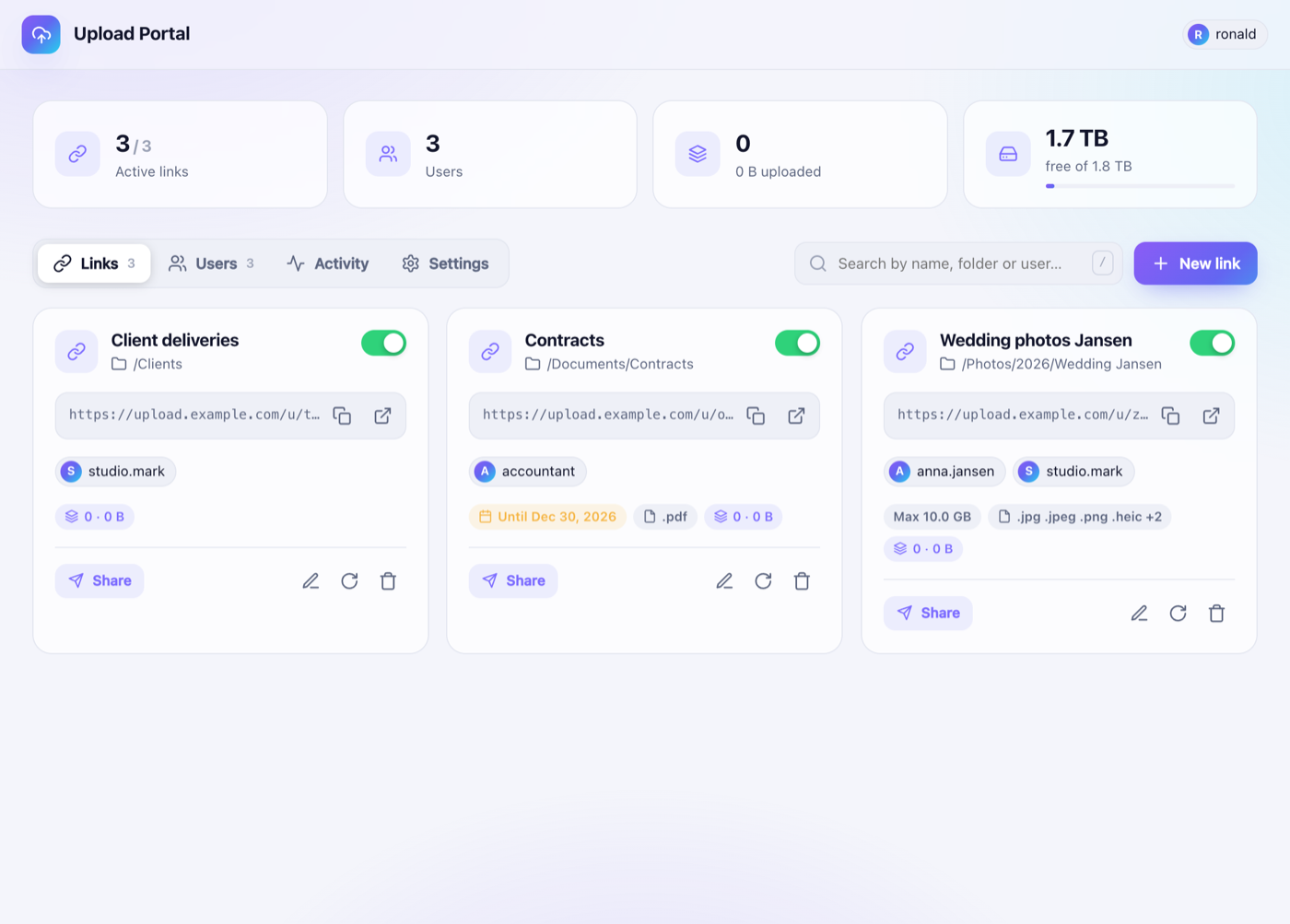
Upload Portal is a free, open-source package for Synology DSM 7. Create password-protected upload links, choose the folder on your NAS for each link, and let clients, family or colleagues upload files with drag & drop. You keep full control over your data, with no third-party cloud and no DSM accounts for uploaders.
⬇️ Download the latest .spk 📖 User guide 🇳🇱 Handleiding
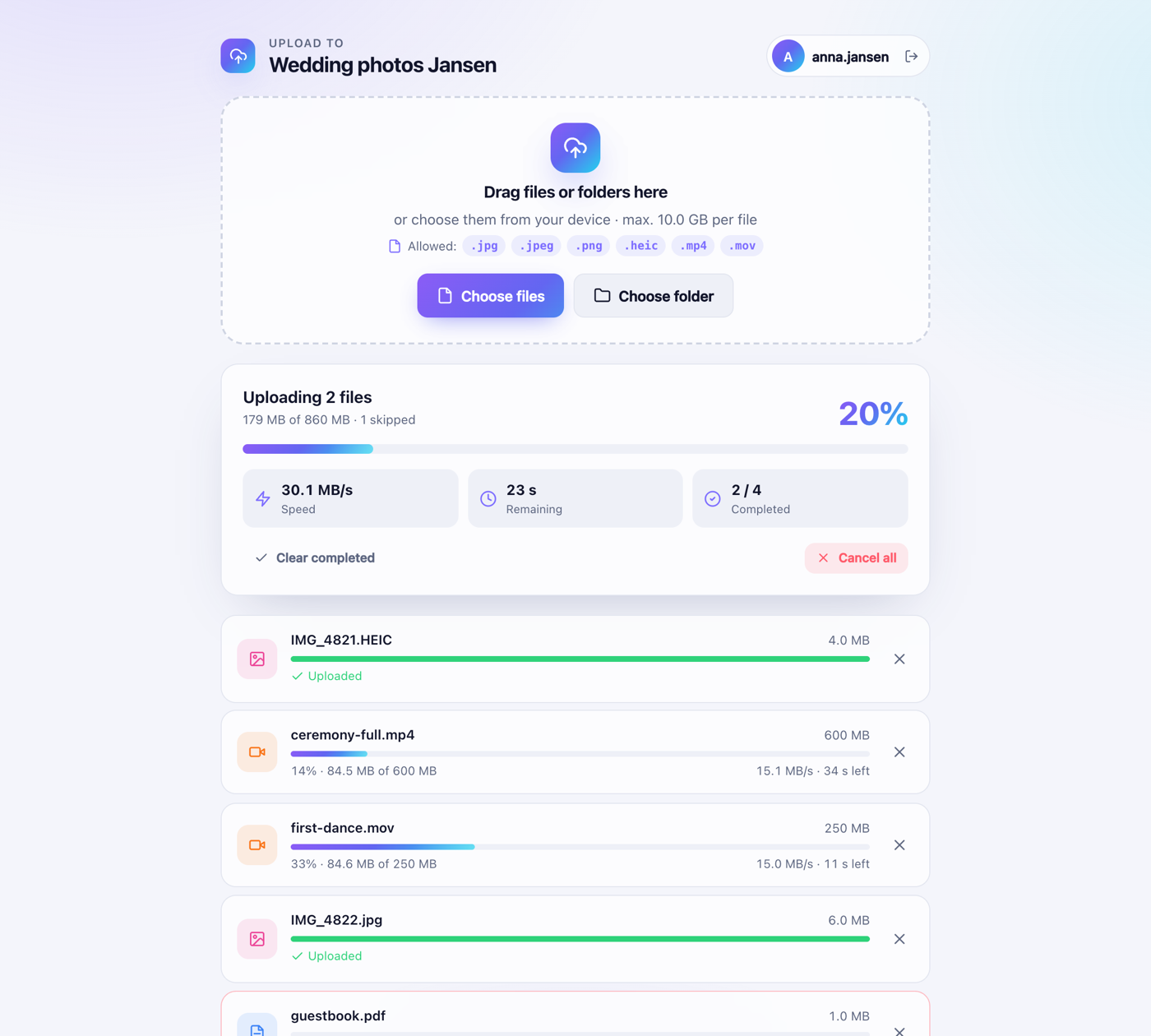
Why Upload Portal?
- One link per folder: files land exactly where you want them on your NAS.
- Personal logins for every uploader, with a built-in 24-character password generator.
- Big files welcome: chunked, resumable uploads with live MB/s and time remaining.
- Control what comes in: allowed file types, maximum size and expiry date per link.
- Managed inside DSM: an admin app in the DSM main menu that uses your DSM login.
- Native package: installs via Package Center; no Docker needed.
Install in 3 steps
- Download
UploadPortal-x.y.z.spkfrom the releases. - In Package Center → Settings, set Trust Level to Any publisher.
- Package Center → Manual Install → select the file → done.
Read the full user guide for folder permissions, HTTPS via the DSM reverse proxy and troubleshooting.
Frequently asked questions
How can clients upload files to my Synology NAS without an account? Create an upload user and an upload link in Upload Portal. Upload users can only use the upload page; they have no access to DSM or File Station.
Is it a replacement for WeTransfer or Dropbox File Requests? Yes. Files go straight to your own NAS, with per-person logins and no size limit other than your disk space.
Which models are supported? Any Synology NAS running DSM 7.0 or newer that offers Node.js v20 in Package Center.
GitHub repository · Report an issue · MIT License · Not affiliated with Synology Inc.